Ember
Designed a GitHub-integrated AI workspace that helps developer teams collaborate, switch between LLMs, and get project-aware answers without leaving their workflow.
- Role
- Product Designer
- Scope
- 0 → 1 Product
- Platform
- Web
- Status
- Design in Progress
01 · Context
Developers were constantly switching between GitHub, AI tools, and team chat.
While working with development teams, I noticed the same workflow repeated every day—developers jumped between GitHub, AI chat tools, and Slack just to answer a single question. Every new conversation meant explaining the project again, and valuable discussions were scattered across multiple platforms. Ember brings repository context, AI assistance, and team collaboration into one GitHub-connected workspace that understands the project from the start.
Where it started
- Developers constantly switched between GitHub, AI tools, and Slack throughout the day.
- Repository context had to be re-explained every time a new AI conversation began.
- Project discussions and AI-generated solutions lived in separate tools.
- New teammates took longer to onboard because there was no shared project-aware workspace.
Where it landed
- A single workspace combining GitHub, AI assistance, and team collaboration.
- Project-aware AI that understands the connected repository instead of relying on repeated prompts.
- Dedicated workspaces for every project with seamless switching between repositories.
- Support for multiple LLMs without interrupting the developer's workflow.
02 · The problem
Platform hopping slowed developers down
Developers moved between GitHub, standalone AI tools, and Slack to complete even simple tasks. The experience was fragmented, forcing them to repeatedly rebuild context instead of staying focused on solving problems.
Repository context had to stay invisible but accessible
The AI needed access to the connected GitHub repository without overwhelming the interface. The workspace keeps repository context in the background while allowing developers to ask natural questions and receive project-specific answers.
Collaboration belonged beside AI, not in another app
Developers often discussed AI responses in Slack while the actual conversation happened elsewhere. Ember places team chat alongside the AI workspace so discussions, decisions, and project context remain together.
The core idea
Create a workspace that understands the project and not just the conversation.
03 · The screens
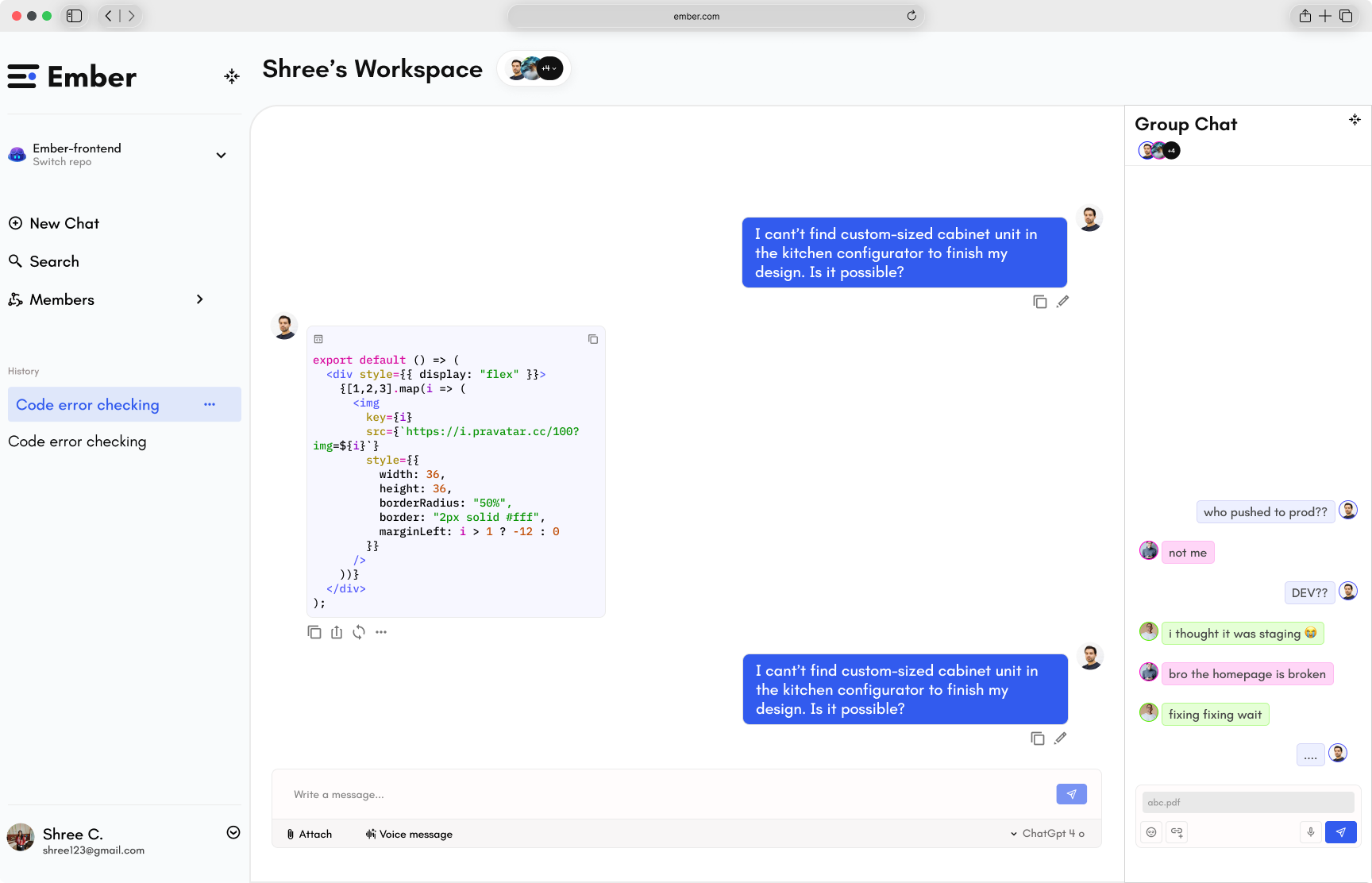 Screen 01
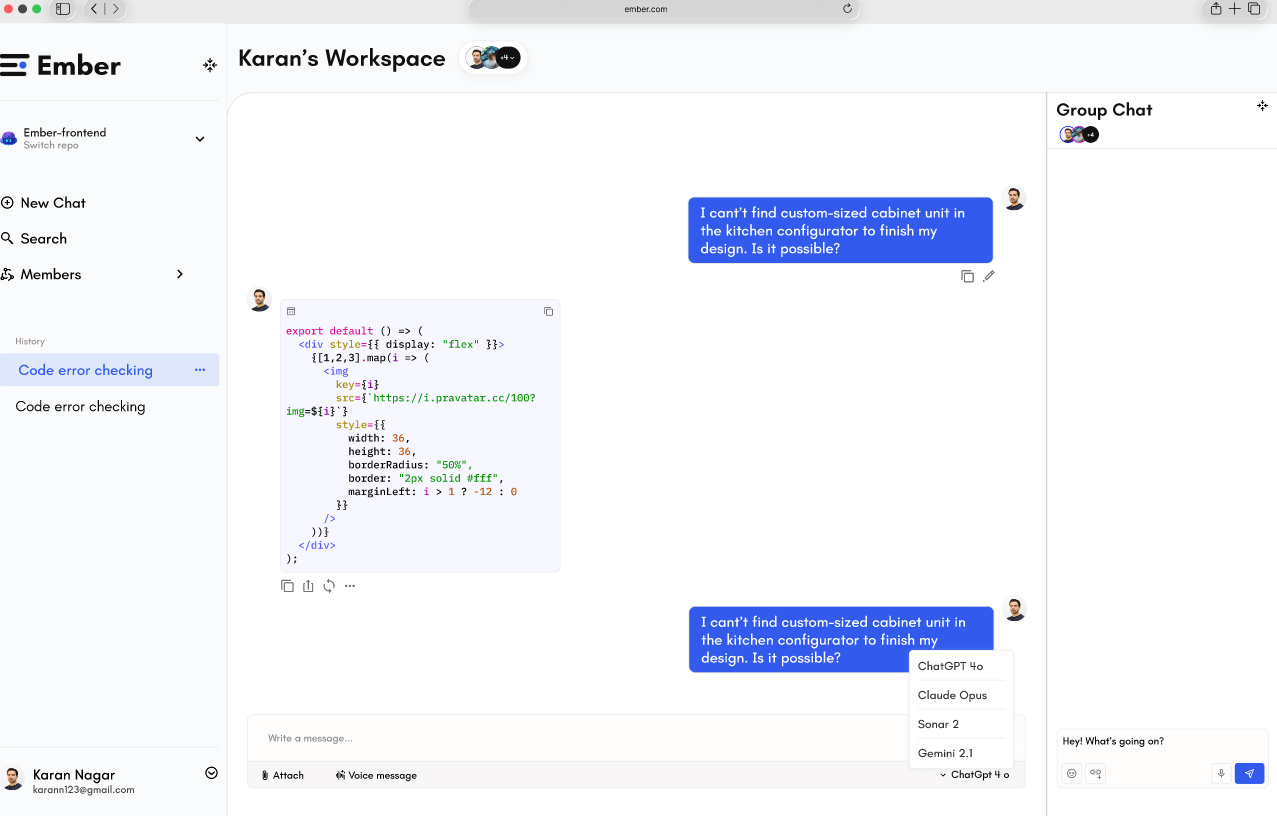 Screen 02
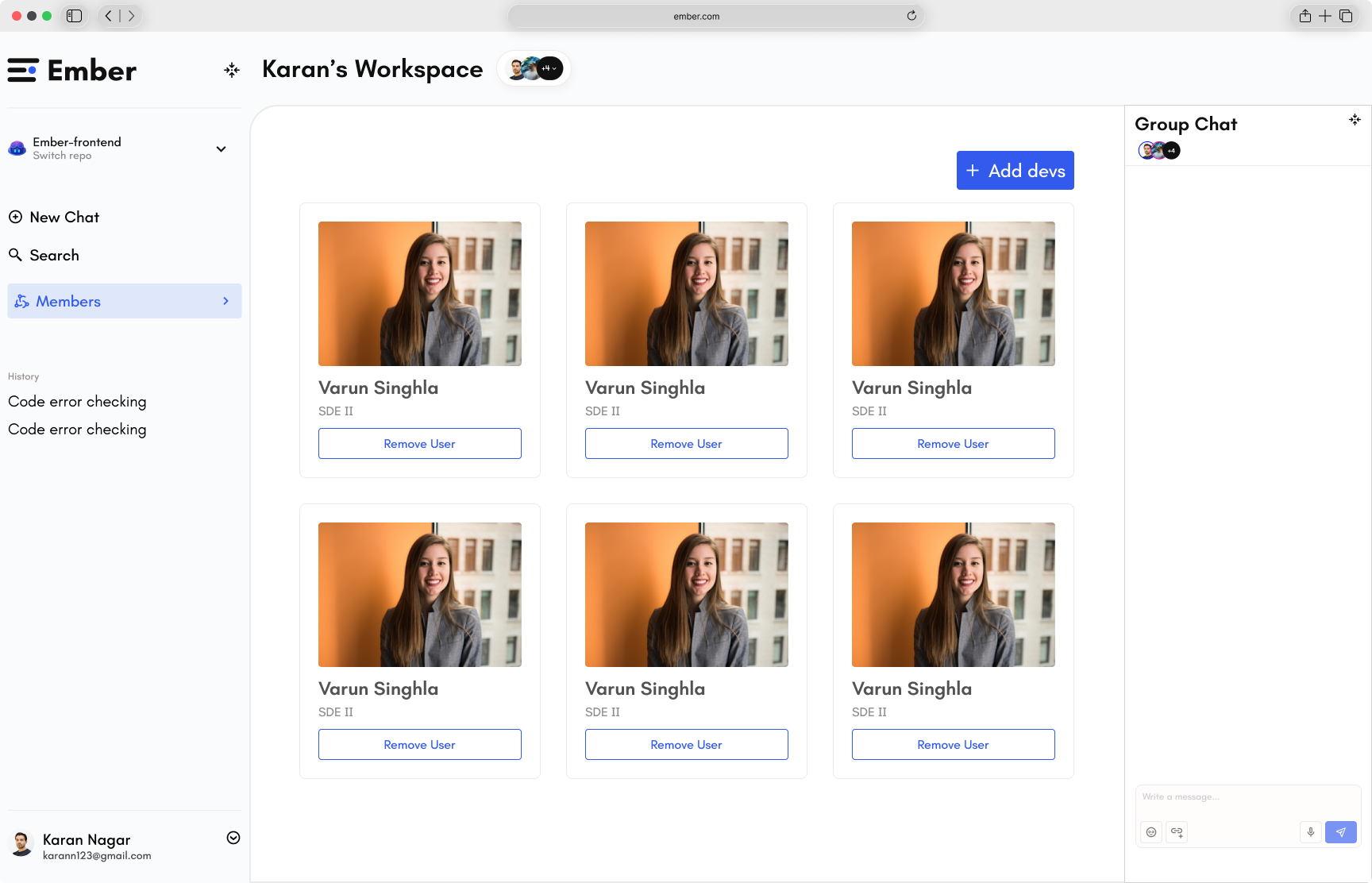 Screen 03
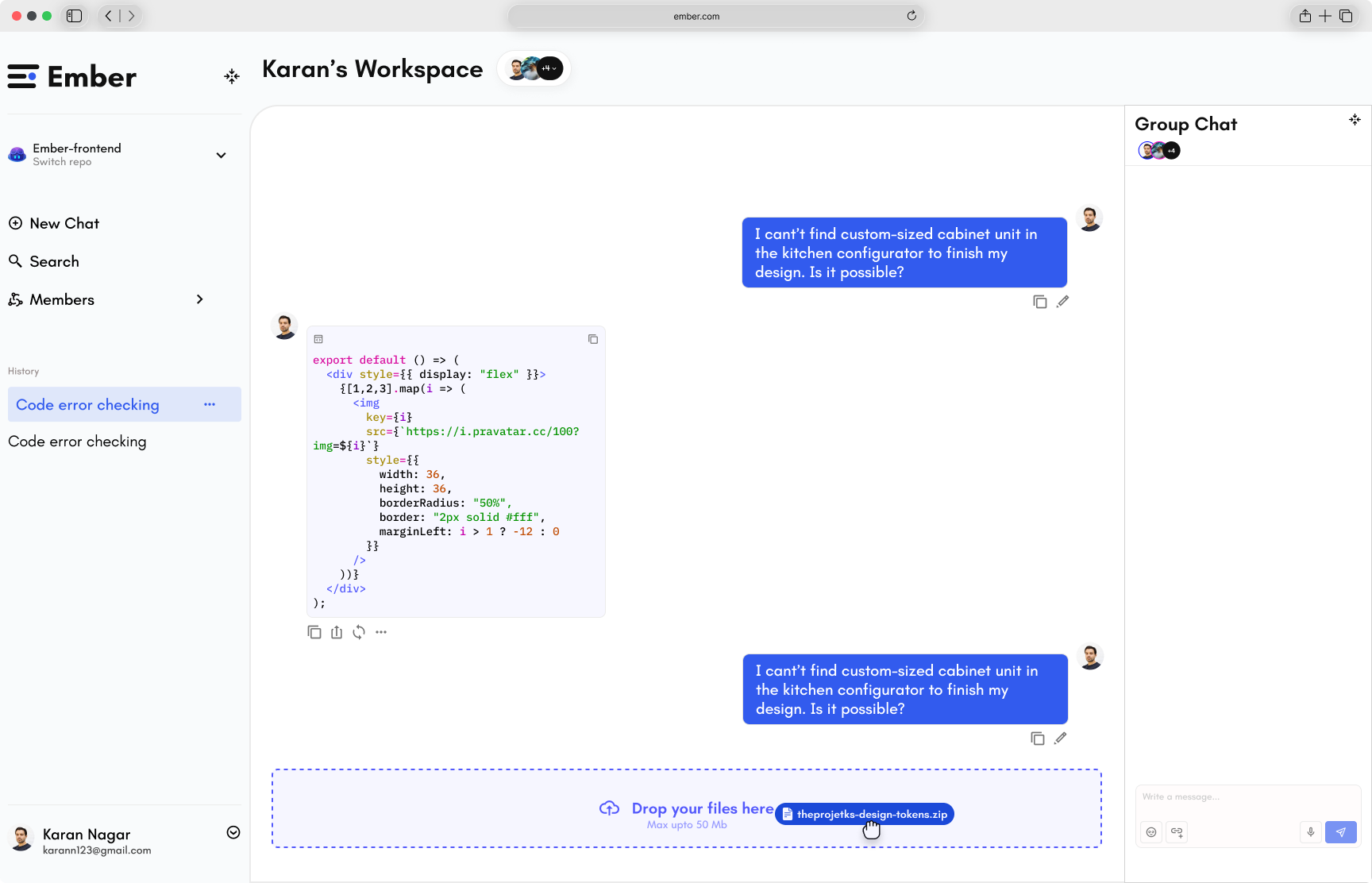 Screen 04
04 · Impact
3
User Roles
Designed separate workflows for Admin, Project Manager, and Developer.
4
Core Flows
Completed primary user journeys covering onboarding, AI chat, members, and model switching.
Multi
LLM Support
Supports switching between multiple AI models within the same workspace.
1
Unified Workspace
Combined GitHub context, AI assistance, and collaboration into a single product experience.
05 · Learning
Design the workflow first—the interface becomes much easier.
Working through the complete product flow before opening Figma turned out to be the biggest win on Ember. Mapping onboarding, permissions, repository management, and collaboration exposed edge cases early and prevented expensive redesigns later. It reinforced that great product design starts with understanding the system, not polishing individual screens.